The Teacher Opens the Session
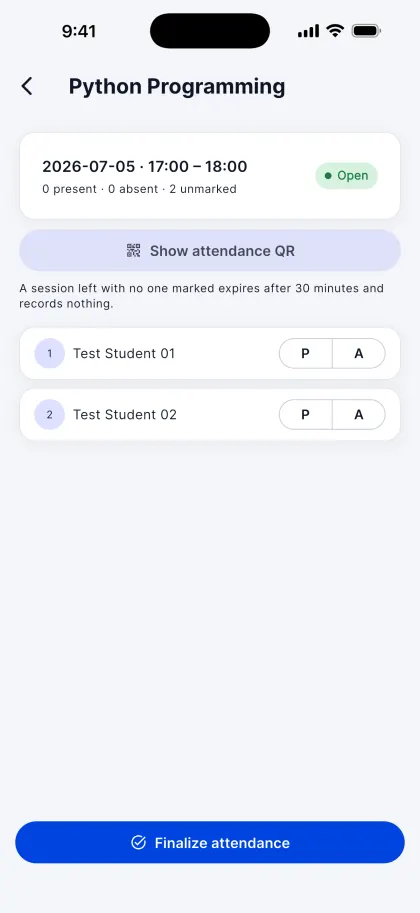
At the start of the lecture the teacher opens an attendance session and shows the QR code. Their phone starts broadcasting a short-range Bluetooth signal in the room.
Smart AI Campus marks every lecture with three proofs at once: a QR code that changes every 15 seconds, a Bluetooth signal from the teacher's phone that only reaches the classroom, and a student account locked to one phone. Not a friend in the next row, not a classmate on a video call.
For schools and colleges in India. On iPhone, Android and the web.
A quick look at signing in, taking a lecture's attendance and checking where you stand.
No roll-call and no paper register. The teacher runs the session from their phone, and students mark themselves from theirs.
At the start of the lecture the teacher opens an attendance session and shows the QR code. Their phone starts broadcasting a short-range Bluetooth signal in the room.
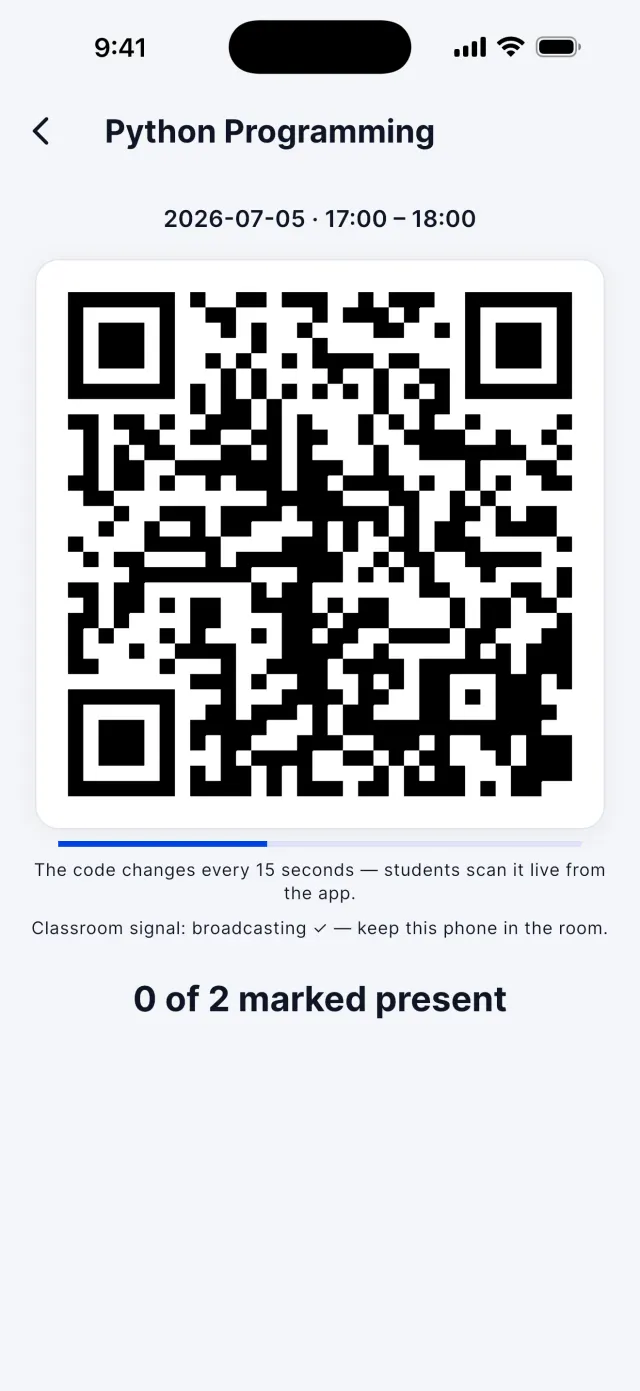
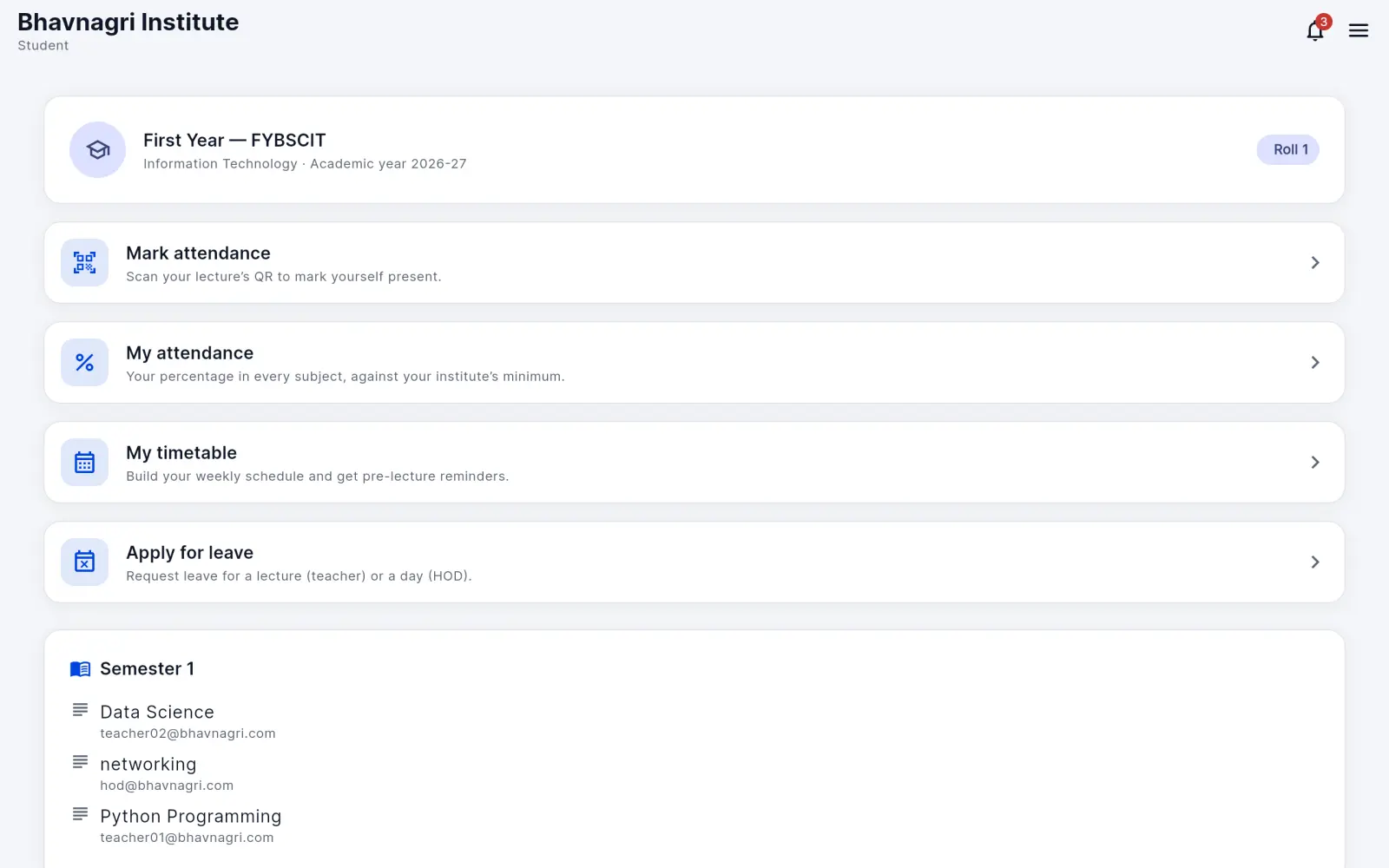
Each student taps Mark attendance and scans the code. The scan only counts if the code is current, the phone can hear the classroom signal, and it is the phone tied to that student's account.
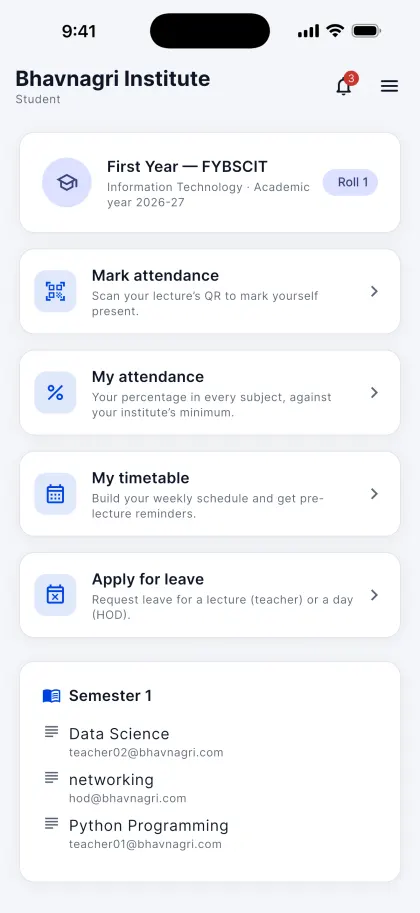
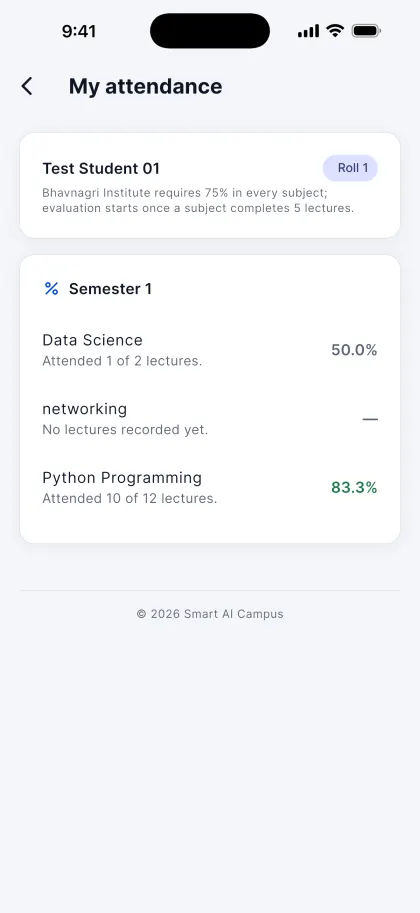
The teacher finalizes the session after the lecture, and only then is attendance recorded. Students see their percentage in every subject against the institute's minimum.
Each proof closes a different shortcut. Because every scan needs all three, a photo of the code, a forwarded link or a video call is not enough.
The code on the teacher's phone is replaced every 15 seconds, so a photo or screenshot passed to a friend is already out of date.
The teacher's phone broadcasts a Bluetooth Low Energy signal that reaches about 10 metres. A student's phone has to hear it, so they have to be in the room. It cannot be passed on over a video call.
A student's account locks to the phone they first scan with successfully. After that, a scan from any other phone does not count for them.
Leave, timetables, holidays, reports and alerts, built around the same per-lecture record.
An institute can switch the Bluetooth check off, and the teacher can always mark students present or absent by hand from the class roster.
Teachers can correct the attendance of their own classes at any time. Every edit is audited.
Students apply from the app. The subject teacher decides leave for a single lecture, and the HOD decides a whole day. The decision is recorded and shown to the student; it does not change their attendance percentage.
Each student builds their own weekly timetable and gets a reminder on their phone before every lecture.
The institute admin declares holidays once, for the whole institute.
Teachers see their subjects, HODs their department and admins the whole institute, each in their own reports and dashboards.
When a student drops below the institute's minimum (75% by default, and the institute can change it), the student and their parent get an email warning.
The iPhone and Android apps send push notifications, so news reaches people without them having to check.
Promote a class, graduate a final year, or move or drop out a single student. Each step can be undone once, and attendance history is never lost.
Each person sees what their role needs, and only for their own part of the institute.
Builds departments, classes and subjects, imports students from a spreadsheet, sets the institute's rules and sees reports for the whole institute.
Decides whole-day leave and follows attendance and reports for their own department.
Runs attendance sessions for their subjects, decides leave for a single lecture and corrects their own classes' attendance when needed.
Scans in during the lecture, sees their percentage in every subject, applies for leave and keeps a personal timetable with reminders.
Sees their child's attendance and switches between children when more than one is enrolled.
Our team creates each institute and grants it access. Nobody else can create an institute.
There is no public sign-up and no join link. Everyone is added by the institute, so the roster is always the institute's own.
The Smart AI Campus team creates your institute and grants it access.
Admins, HODs and teachers are added by their email address.
The admin imports students, with their parents' details, from a spreadsheet.
Students and parents use the mobile app. Staff can also sign in on the web at app.smartaicampus.app. Data is hosted in India, in Firebase's Mumbai region.
Smart AI Campus is designed and developed by Perseus Bhavnagri.
Every institute is set up by our team. Tell us about your school or college and we'll show you a lecture from start to finish.